

01
RESEARCH
Understand the job.
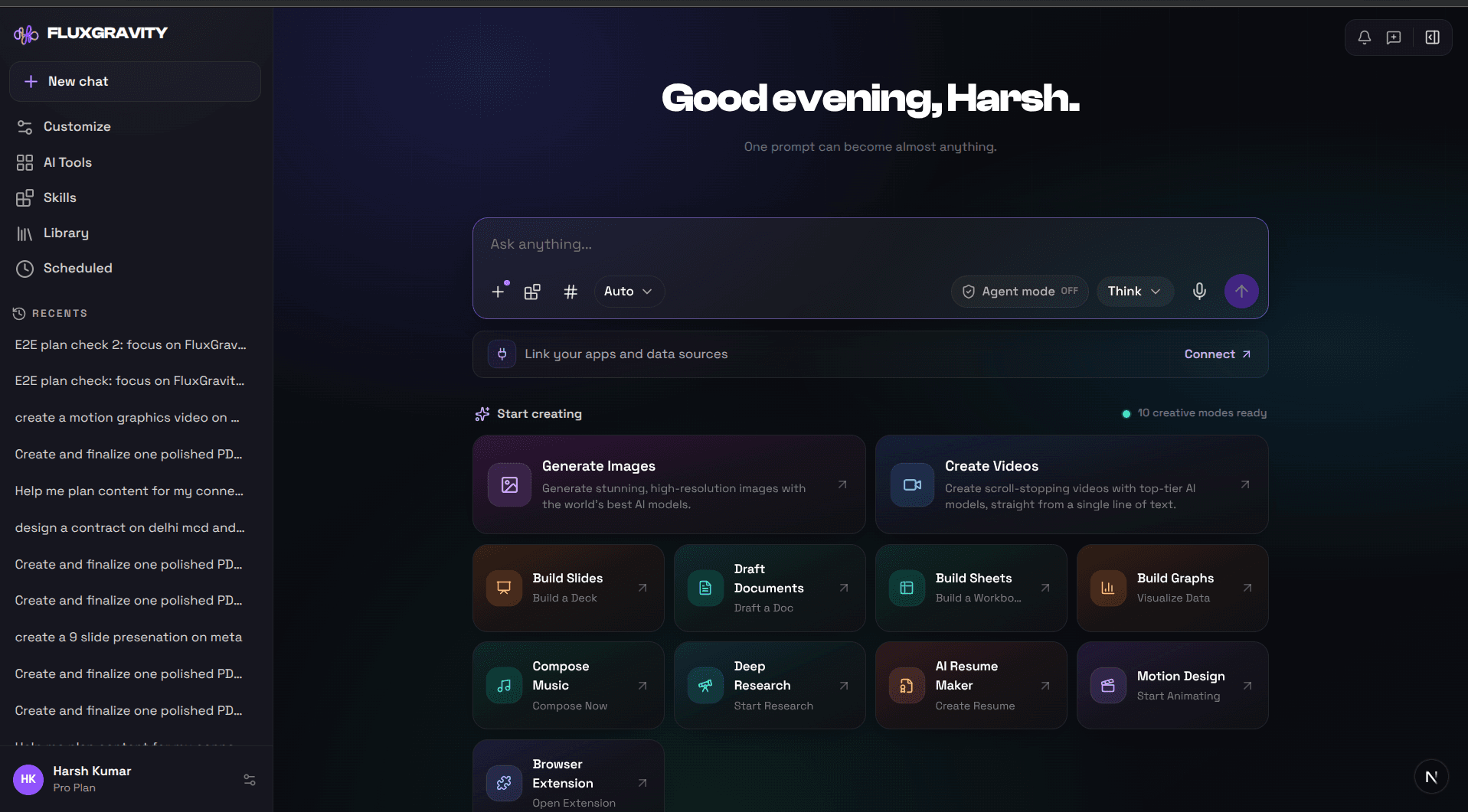
Search the web, read your files, inspect screenshots and pull context from connected apps before the work starts.
- Web research
- Files and websites
- Connected context
ONE AI AGENT · 39 SPECIALIST WORKFLOWS
Research the market. Build the deck. Design the page. Create the video. Schedule the campaign. FluxGravity brings the tools and context together in one workspace.
Your goal is copied when you open the workspace.
100 starter credits included · No credit card required
ONE PROMPT, ALL THE WAY THROUGH
FluxGravity is built to carry a job forward—from understanding the brief to producing the files and helping with the next action.
RESEARCH
CREATE
RUN
Choose a creation mode, use web search, attach files, or bring in context from a connected app.
WEBSITE TO ADS TO PUBLISHING
Your website, ads, social posts, storyboards and videos, YouTube titles and keywords, brand visuals, and research. Each one has a specialist skill behind it, and every piece works from the same brief.
Launch pages designed and written for you, delivered as responsive HTML you can review and export.
Ad copy, image variants, and short product ad videos, sized for the channels you run.
Posts drafted for each account, placed on one calendar, then scheduled and published.
The agent plans the story scene by scene and renders a narrated whiteboard video. Ask for changes afterwards.
Launch videos, vertical short videos, motion graphics, captions, and interview overlays.
Keyword research, plus the titles, descriptions, and tags that help people find you.
Product images, thumbnails, logo animations, and a written design spec.
Cited market and competitor research, turned into pitch decks, reports, and spreadsheets.
GO DEEPER
A skill is a purpose-built workflow, not a blank prompt. It gathers the research or references the job needs, follows a defined structure and quality bar, and hands back a finished file you can review and edit.
Design, spatial and visual storytelling
Audience, discovery and publishing
Purpose-built video and animation pipelines
Editable business files and structured data
Current, cited and market-aware
BUILT AROUND THE PERSON DOING THE WORK
“Turn a product idea into market research, a pitch deck, a launch page, and campaign drafts.”
Research · deck · webpage · campaign
Illustrative workflows, not customer testimonials. Portraits are fictional.
FROM ONE WORKSPACE
Websites, slides, videos, images, documents, campaigns, and the workspace that helps you make them.
Output previews are illustrative examples. Product-interface cards are labeled by their workspace function. These are not customer results or performance claims.
GIVE IT A REAL JOB
“Research the market, build the pitch deck, design the launch page, and draft the campaign.”
“Use this article to create a faceless explainer, a carousel, and a week of posts.”
“Read the brief and source files, compare the options, and create a clear recommendation deck.”
“Clean this spreadsheet, find the important trends, and turn the analysis into charts and slides.”
“Find the strongest topic, write the video script, and prepare the title and thumbnail direction.”
“Use our brand context to draft channel-specific posts, then place them on the content calendar.”
BRING THE CONTEXT WITH YOU
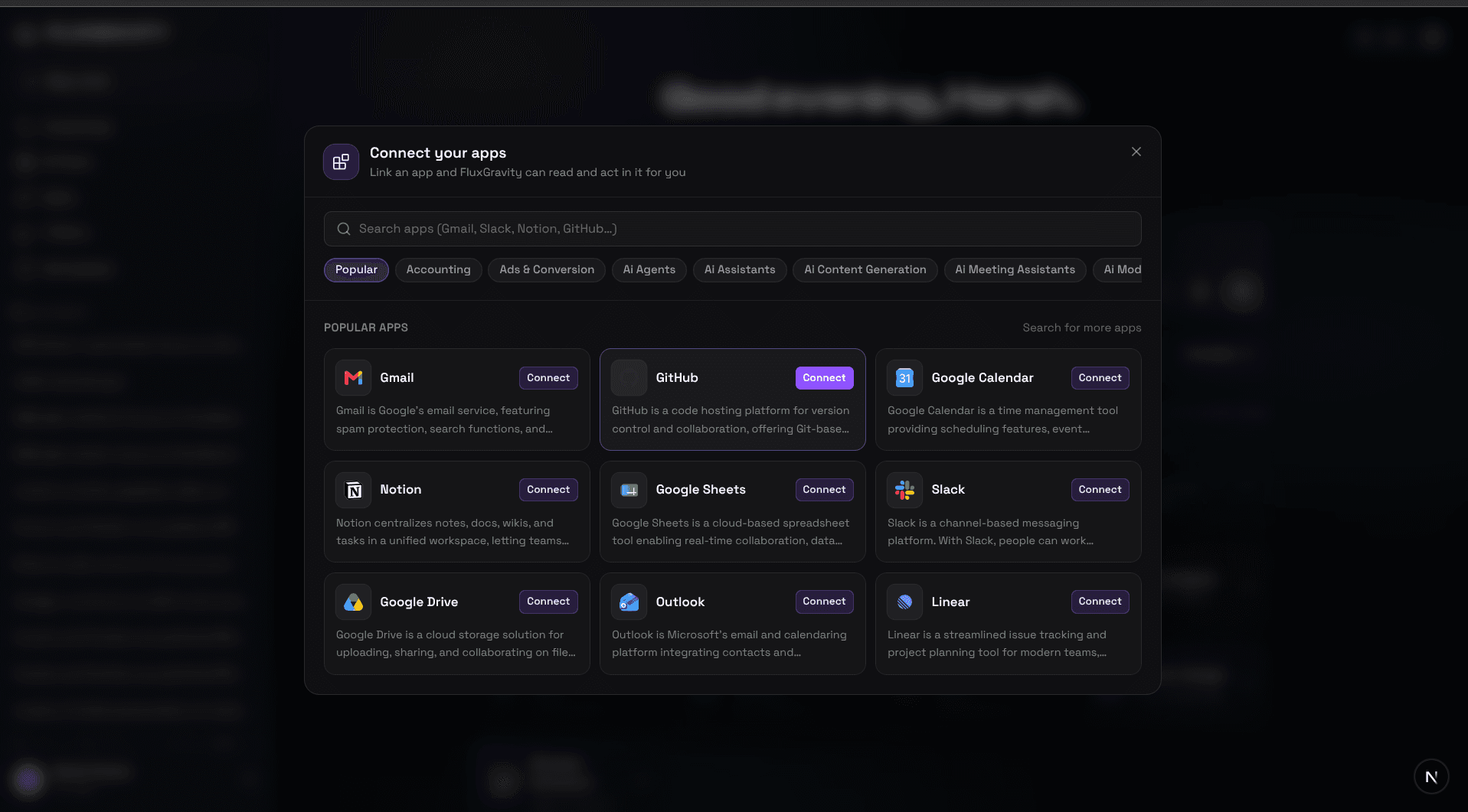
Link the services your work already lives in. FluxGravity can use permitted context from your files, inbox, calendar, team chat, and project tools instead of starting every task cold.
Connected apps require a paid plan. Availability depends on the service and permissions.
FluxGravity is a universal AI agent for research, creation, connected work, and social publishing. Give it a goal, add your files or sources, and choose a general creation mode or a specialist workflow. The result stays in the workspace for you to review and continue working with.
The current product supports documents, PDFs, presentations, spreadsheets, charts, diagrams, images, video, motion graphics, music and narration, research, web designs, resumes, and other files. Its specialist library also includes creator workflows such as scripts, titles, thumbnails, keyword research, and social content.
The Web Design skill creates a polished, responsive page as live HTML in the Creations panel. You can review and use that output, but FluxGravity does not currently claim the same full app-building and deployment workflow as a dedicated app builder.
On paid plans, you can connect supported apps so FluxGravity can read relevant data and take permitted actions. The product currently shows integrations such as Gmail, Google Calendar, Drive, Sheets, Notion, Slack, GitHub, Outlook, and Linear. Available actions depend on the connection and the permissions you grant.
Yes. Social Studio lets you write a draft for each account, keep them on a calendar, schedule posts, and show delivery status across ten supported networks. Formats and available actions vary by network and account. Social publishing requires a paid plan and credits.
A free account includes 100 one-time starter credits for core chat and creation tasks, including documents, presentations, spreadsheets, images, and video. Connected apps, social publishing and most specialist workflows require a paid plan. See the pricing page for current allowances and limits.
Yes. Review files, drafts, sources, and connected actions before you use them. Ask for revisions, check important facts, and approve destination-specific work. AI output still needs your judgment, especially for client, financial, legal, or public-facing work.

WHAT DO YOU WANT TO GET DONE?


 Reel
Reel Video
Video Post
Post Short
Short Thread
AGENT + SOCIAL STUDIO
Make the campaign.
Then run it.
Research, copy, images, and video can become account-specific social drafts in the same workspace. Review the calendar, choose the timing, and check delivery after publishing.
- Customize copy and media for each account
- Schedule and reschedule posts
- Inspect delivery and analytics
- Run Instagram comment automations
Explore publishing plansPublish across ten supported networks